> ## Documentation Index
> Fetch the complete documentation index at: https://docs.benevolus.ch/llms.txt
> Use this file to discover all available pages before exploring further.
# Send a message to your members
> Write to your whole organisation, to a team, to an event or to a post, by notification and by email.
Write to all or part of your members from Benevolus. The message arrives as a notification on their phone and by email, and nobody can unsubscribe from it: keep this channel for operational matters.
You must be a **coordinator** of the organisation, or higher.
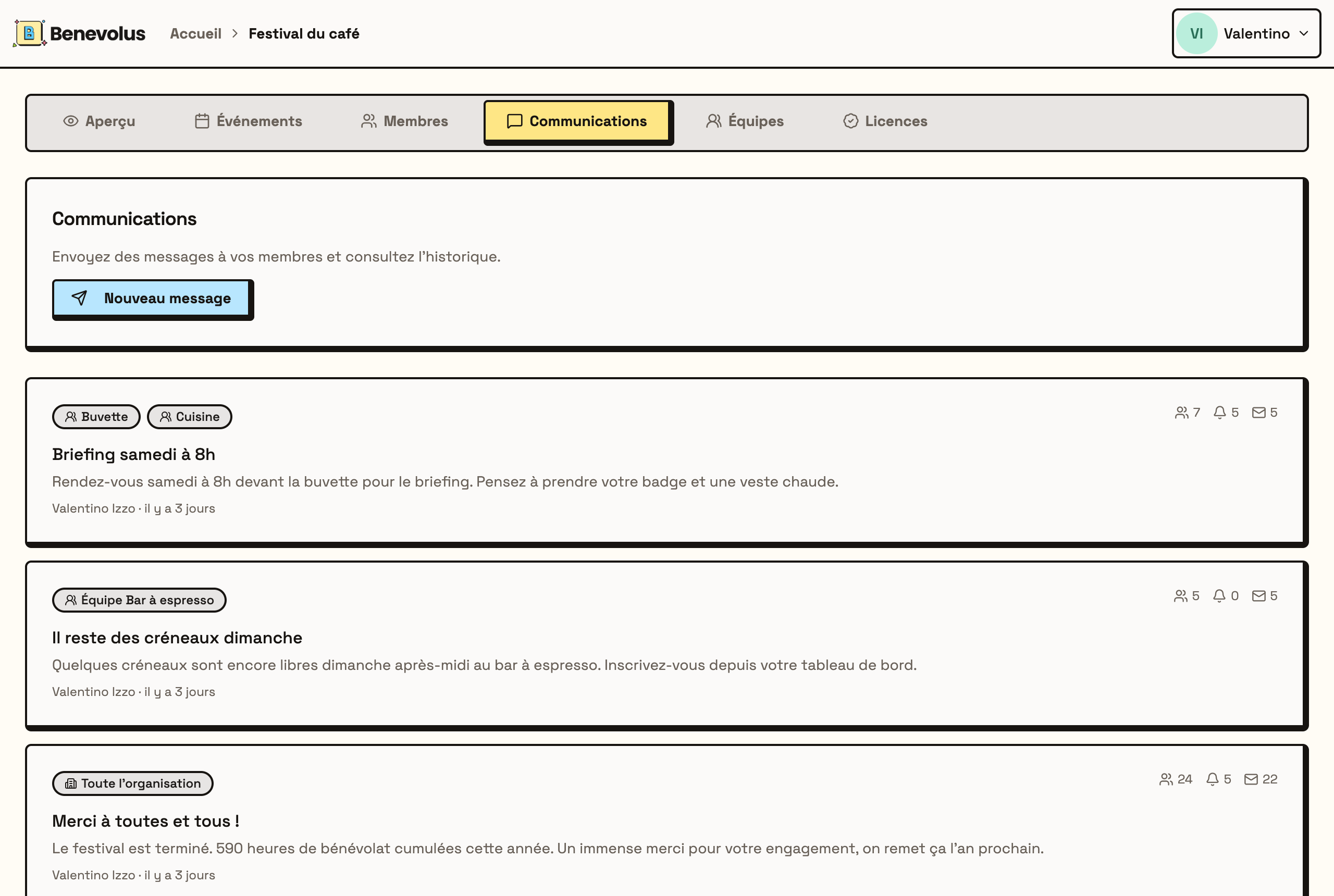
In your organisation, open the **Communications** tab, then click **New message**.
 Give it a **title**, then write your **message**, 250 characters at most. This is the format of a notification: get to the point.
Tick **Whole organisation**, or select one or more **teams**, **events** and **posts**. Someone who appears in several selections only receives one message.
Give it a **title**, then write your **message**, 250 characters at most. This is the format of a notification: get to the point.
Tick **Whole organisation**, or select one or more **teams**, **events** and **posts**. Someone who appears in several selections only receives one message.
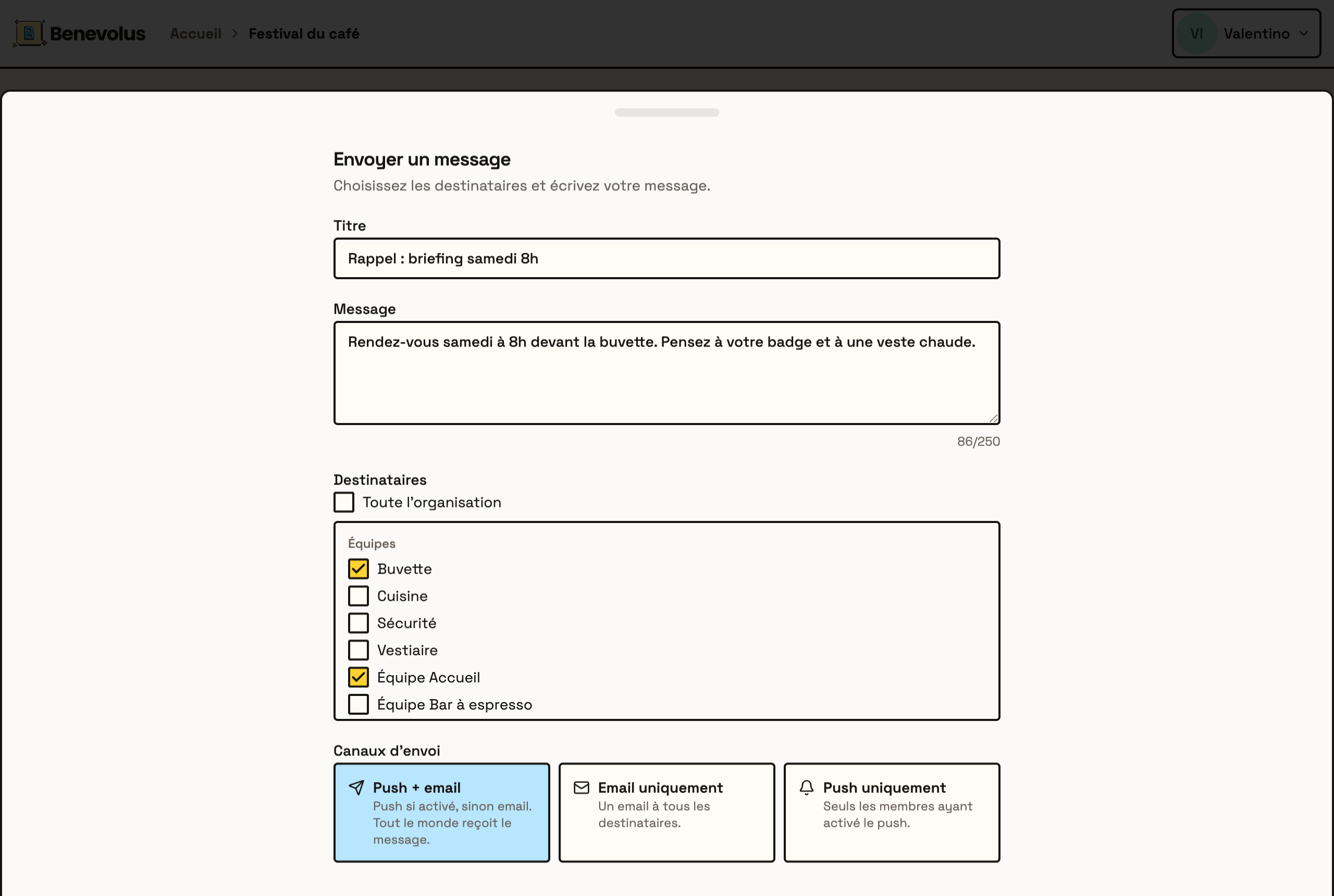 **Push + email** is the default: every member gets a notification if they turned them on, and an email otherwise. **Email only** writes to everyone by email. **Push only** reaches just the members who turned notifications on, so some will receive nothing.
Click **Send**. The message joins the history in the **Communications** tab, with the number of recipients, notifications and emails sent.
You can send up to **10 messages per hour** for one organisation. Beyond that, sending is refused until the hour has passed.
Your members only get the notification on their phone if they have [installed the app and turned notifications on](/en/install-the-app). Without that, they receive the email.
**Push + email** is the default: every member gets a notification if they turned them on, and an email otherwise. **Email only** writes to everyone by email. **Push only** reaches just the members who turned notifications on, so some will receive nothing.
Click **Send**. The message joins the history in the **Communications** tab, with the number of recipients, notifications and emails sent.
You can send up to **10 messages per hour** for one organisation. Beyond that, sending is refused until the hour has passed.
Your members only get the notification on their phone if they have [installed the app and turned notifications on](/en/install-the-app). Without that, they receive the email.